
WHAT TO LOOK FOR IN A RECIPE CARD PLUGIN AND HOW TO CHOOSE:
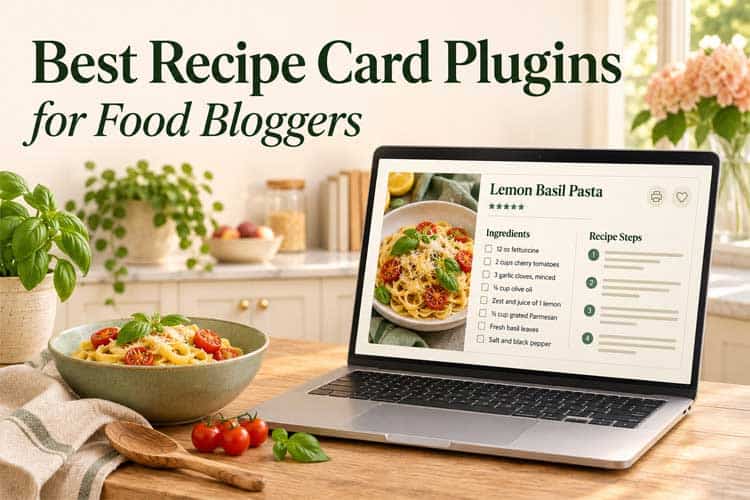
A recipe card plugin does more than put a pretty box around your ingredients and instructions. It helps you organize your recipes, makes them easier for readers to follow, and can provide search engines with information about what you have published.
The best choice for your food blog will depend on your budget, your publishing needs, and the experience you want to give your readers. Before choosing a plugin, take a closer look at the following features.
* This post may contain affiliate links. Please read our disclosure for more info.
YOUR RECIPE CARD PLUGIN SHOULD FEATURE EASY RECIPE CREATION AND EDITING
You will be using this plugin every time you publish a recipe, so adding and updating information should be straightforward. Look for clearly labeled fields for ingredients, instructions, preparation time, cooking time, servings, and recipe notes.
Think about the kinds of recipes you plan to share. If you frequently publish recipes with several components, such as a cake, filling, and frosting, being able to separate ingredients and instructions into groups will make your work easier and help readers stay organized.
Try a demo or free version when available. Creating one complete recipe can tell you more about how comfortable a plugin is to use than a long list of advertised features.
CHECK RECIPE SCHEMA AND MARKUP
Look for a plugin that automatically adds recipe schema markup. This is information added behind the scenes that helps search engines understand your recipe and its details.
Properly completed recipe markup can make a page eligible for enhanced search appearances, such as recipe results with images, cooking times, and ratings. However, installing a plugin does not guarantee these results or higher rankings. Google still requires your content and markup to meet its guidelines.
You will also need to enter accurate information. A plugin can organize the details you provide, but it cannot turn incomplete instructions or an untested recipe into useful content.
YOUR RECIPE CARD PLUGIN SHOULD FEATURE A CLEAR, MOBILE-FRIENDLY DESIGN
Imagine someone following your recipe on a phone propped against a kitchen canister. Can they read the ingredient amounts easily? Are the instructions clearly separated? Can they find the cooking time without scrolling back and forth?
Choose a card with readable text, good contrast, and a layout that works well on smaller screens. Customization options for colors, fonts, and spacing are useful, but readability should come first.
Check the plugin’s demo on your phone as well as your computer. A card that looks attractive on a large monitor may feel cramped on a smaller screen.
YOUR RECIPE CARD PLUGIN SHOULD HAVE FEATURES THAT MAKE COOKING EASIER
Consider which features will genuinely help someone prepare your recipes. Useful options to look for include a jump-to-recipe button, a clean print layout, ingredient checkboxes, adjustable servings, and unit conversions.
Availability varies by plugin and plan. For example, WP Recipe Maker offers printing and jump-to-recipe options, while adjustable servings are among its paid features. Check the specific plan rather than assuming everything shown in a demo is included.
If a plugin offers automatic scaling or conversions, test them carefully. Doubling the ingredients does not necessarily mean doubling the cooking time, and some recipes need additional guidance when readers change the batch size.
YOU MAY WANT SOMETHING THAT INCLUDES NUTRITIONAL INFORMATION OPTIONS
If nutrition information is important to your audience, check whether the plugin allows manual entry, automatic calculation, or both. Also find out whether a calculator is included in the plan you are considering or requires an upgrade.
Treat automatically calculated values as estimates that need review. Ingredient choices and serving sizes can affect the figures, so make sure the information corresponds to the recipe you actually tested.
CHECK THE RECIPE CARD PLUGIN’S COMPATIBILITY AND PERFORMANCE
Your recipe plugin needs to work well with your WordPress theme, editor, and other essential plugins. Check the developer’s compatibility information and look for recent support discussions about problems that could affect your setup.
Before committing, test a sample recipe on a staging site if your host provides one. Check how the card looks, whether its buttons work, and whether the page loads comfortably on mobile.
If you already use an SEO plugin, check the recipe plugin’s setup instructions for using them together so you can avoid conflicting recipe markup.
CHECK THAT IT OFFERS UPDATES, DOCUMENTATION AND SUPPORT
A plugin becomes part of your publishing routine, so ongoing maintenance matters. Review its update history, documentation, and support options.
Look for instructions you can understand and evidence that the developer responds to problems. Recent reviews can help you spot recurring complaints, particularly about unresolved errors or difficulty getting assistance.
Check whether support is included with the free version or reserved for paying customers, and how long paid support lasts.
COMPARE PRICING AND ROOM TO GROW
Compare the features included in each plan, along with the renewal price, site limits, and any additional fees. Find out what happens if you stop renewing: will your existing recipe cards continue displaying, and which services or features will you lose?
A free plugin may be sufficient when you are starting out. Paying for additional features makes more sense when they solve a specific problem or save you meaningful time.
Choose based on what you need now and what you reasonably expect to use as your recipe collection grows.
YOUR RECIPE CARD PLUGIN SHOULD MAKE IT EASY TO IMPORT AND MOVE YOUR RECIPES
Before choosing a plugin, consider how you would move your recipes if you decided to switch later. Check for documented import and export options, and find out what happens to your recipe content when the plugin is deactivated.
If you are changing plugins, confirm that the new one supports your existing recipe format. Back up your site and test a few imports before moving the entire collection. Review ingredients, instructions, images, notes, and ratings for anything that did not transfer correctly.
Get our Occasional Newsletter with offers and updates. Unsubscribe at any Time.
WHAT ARE THE MOST POPULAR RECIPE CARD PLUGINS for 2026?
TASTY RECIPES:
Tasty Recipes, from WP Tasty, offers recipe card templates and tools designed to make recipes easier to follow. Its features include ingredient checkboxes, recipe scaling, and Cook Mode, which helps keep the reader’s screen awake while cooking. Feature availability depends on the version you choose.
A free Lite version provides an entry point, while the paid version adds options such as unit conversion, recipe scaling, and ingredient links. Tasty Recipes also supports importing recipes from plugins including WP Recipe Maker and Create by Mediavine, which is useful if you already have a collection to move.
Who should consider it? Bloggers who want attractive templates and practical cooking features. Try the Lite version or explore the demos to see whether its editing process suits the way you work.
RECIPE CARD BLOCKS PRO:
Recipe Card Blocks Pro was built around the WordPress block editor and also supports Elementor. Its WordPress.org listing shows more than 10,000 active installations, making it another established option to compare.
Both its free and Pro versions include recipe schema markup. Paid options expand the available tools, with features such as recipe indexes and recipe roundups that may appeal to bloggers who want to help visitors browse a growing collection. Check the current plan details to confirm which features are included.
Who should consider it? Bloggers who enjoy working in the block editor or use Elementor. Pay particular attention to how easily you can create a card within your existing page layout.
WP DELICIOUS:
WP Delicious, formerly called Delicious Recipes, is another option for food bloggers who want to start with a free plugin. Its listed features include recipe schema support, printable recipes, nutrition charts, image and video galleries, and recipe search tools.
Those browsing and presentation features make it worth exploring if you want your site to function as an organized recipe collection. Test how its recipe layouts and search options work with your theme before committing.
Who should consider it? Bloggers who want to explore a range of recipe publishing features on a limited budget. Review the free and paid offerings to determine whether the features you need require an upgrade.
HOW TO MAKE YOUR FINAL CHOICE
WHICH RECIPE PLUGIN SHOULD YOU CHOOSE?
Start with a short list of requirements: the features you must have, the amount you can comfortably spend, and any compatibility needs.
Test two options that meet your requirements. Recipe Card Blocks Pro may suit your workflow if you prefer building posts in the block editor. Tasty Recipes is worth exploring for its templates and cooking tools, while WP Delicious deserves a look if its free features cover your needs.
Create the same sample recipe in each one. Preview it on your phone, print it, edit an ingredient, and try the reader features. Pay attention to both sides of the experience: how easily you can publish the recipe and how easily someone else can cook from it.
Choose the plugin that makes publishing most manageable for you and cooking easiest for your readers.

About the Author: Sherry Bennett
Ms. Bennett is a Professional Blogger, who has been earning a living online with niche websites since October 1996.
Through hard work and dedication, she has turned her passion for blogging into a 7-figure business.. and you can do the same.
Read More
Have more questions? Need some answers?
Find me on Facebook:
Business Page: The Blogging Queen
Facebook Group: 7-Figure Professional Blogger – Sherry Bennett

